 0:32
How to make exports faster
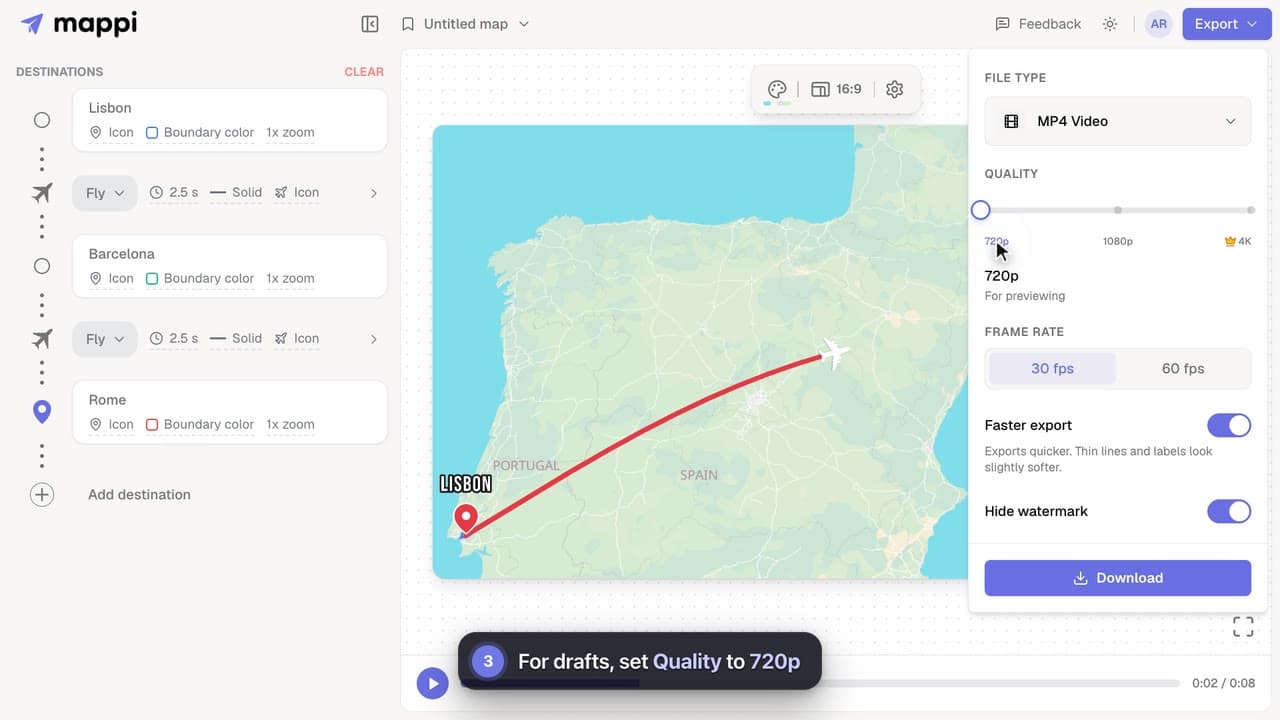
Cut map video export time on slower computers: turn on Faster export, render at 30 fps, use 720p for drafts, and keep the editor tab in front.



Most problems have a quick fix. Start with the guide that matches what you see, and if nothing here helps, send us feedback with a screenshot so we can take a look.
1 video guide · 7 articles · Updated
0:32Cut map video export time on slower computers: turn on Faster export, render at 30 fps, use 720p for drafts, and keep the editor tab in front.
Map video export stuck at a percentage or taking forever? Why exports slow down, how long they should take, and what to do to get your MP4 faster.
Fix a failed Mappi export: why you see “Your device couldn’t handle this export”, and how lower quality, Faster export, 30 fps or a desktop browser help.
Fix a blurry, soft or choppy map animation: pick the right export quality and frame rate, turn off Faster export for the final cut, and avoid re-compression.
Fix a blank map preview or the “WebGL is not supported” message in Mappi: turn on hardware acceleration, update your browser, or try another browser.
Why a driving, walking, transit or sailing route can’t be found between two stops, what each message means, and how to fix it or switch travel mode.
Use Mappi on your phone or tablet: how the mobile editor works, why phone exports are lighter, and tips to export map videos without errors on mobile.
Mappi runs in up-to-date Chrome, Edge, Firefox and Safari on computers, phones and tablets. Firefox on Android can’t export videos yet. What your browser needs.
Exports render on your device, so speed depends on your computer and the video’s size. Keep the tab in front, choose 30 fps and turn on Faster export for the quickest render. Phones, tablets and other touchscreen devices don’t show that switch: their exports are already lighter.
Make exports fasterBring your routes, places, and stories to life with frame-perfect map animations. No editing skills required.
Mappi is the simplest way to create stunning animated maps. Perfect for YouTubers, journalists, and storytellers.
 Stripe Climate member
© 2026 Mappi. All rights reserved.