Documentary map animation,
without the After Effects grind.
Build cinematic, Netflix-style animated maps for documentaries, explainers, and video essays. Slow camera pushes, drawn-on routes, glowing country outlines, and clean labels. Export in 4K and drop it straight into your edit.
No credit card required
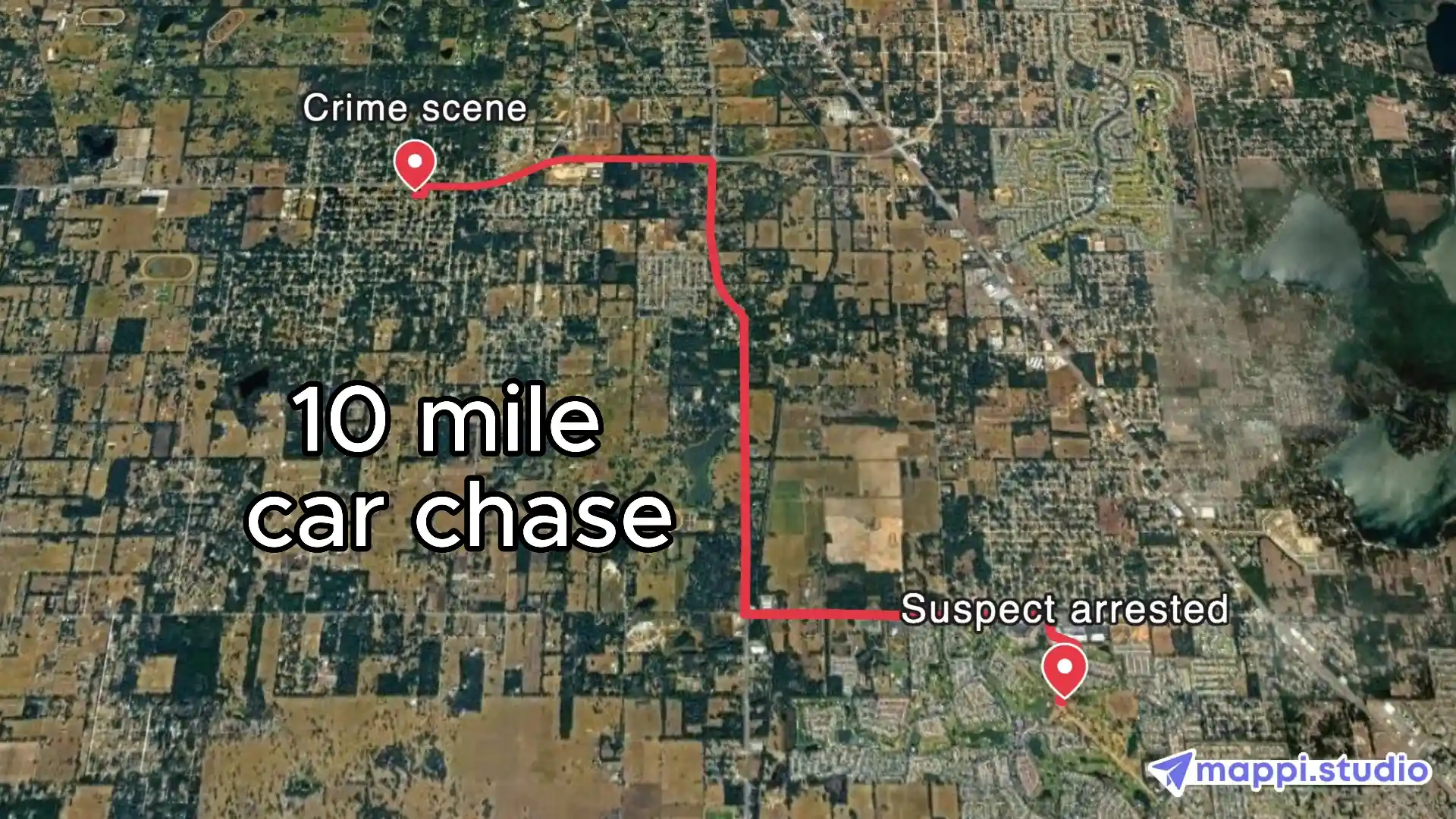
Animated maps that carry the story, not just decorate it.
Every great documentary map answers three questions in a few seconds: where are we, where did they go, and why does the geography matter. Mappi is built to answer all three.
- MinutesFrom a script note to a finished documentary map sequence
- 4KBroadcast-ready MP4 exports for the timeline, no watermark
- Any storyHistory, war, true crime, nature, science, travel, and investigations
Made for filmmakers, editors, and video storytellers.
If you tell true stories with video, Mappi gives you documentary-grade map animation without a motion designer, a plugin stack, or a week of keyframing.
Documentary filmmakers & directors
Establish place, scale, and movement with a map sequence that matches the tone of your film.
Documentary editors & post houses
Turn a "we need a map here" note into a finished 4K clip the same afternoon. Drop it on the timeline like any other footage.
YouTube documentary & video essay channels
Get the polished Netflix and Vox style map look that keeps viewers watching, on a one-person budget.
History & war documentaries
Animate campaigns, troop movements, borders, and empires over time with country outlines and drawn-on routes.
True crime & investigative series
Retrace a timeline across cities and states. Pin the key locations, connect them, and let the map do the exposition.
Investigative journalists & newsrooms
Map supply chains, smuggling routes, migration paths, and money trails for long-form video reporting.
Nature, science & travel documentaries
Follow migrations, expeditions, river systems, and field research across continents with cinematic camera flights.
Educators & explainer producers
Make geography, history, and current events instantly clear with animated maps students actually remember.
The map looks you see in the best documentaries.
Pick the visual language that matches your film, then tune colors, labels, and camera motion to fit the grade.
Dark cinematic
Muted dark basemap, soft glow on borders and routes, minimal labels. The look of modern streaming documentaries and true crime series.
Vintage & war room
Warm, desaturated tones with paper-like texture and classic typography for history, WWII, and period storytelling.
Editorial explainer
Clean, flat, high-contrast maps with bold labels and simple shapes. The Vox and news explainer style built for clarity.
Minimal light
Light basemap, restrained color, and a single accent for routes and highlights. Ideal for science, nature, and essay films.
Every tool you need for documentary map animation.
Pin the places, draw the route, highlight the region, set the camera, export.
Cinematic camera moves
Slow pushes, sweeping flyovers, and globe-to-street zooms with smooth easing. No keyframes to hand-tune.
Animated routes & journey lines
Draw-on paths for expeditions, migrations, flights, convoys, and getaway routes. Real road, rail, and flight geometry.
Country outlines & region highlights
Glow or fill any country, state, or province. Show borders, territories, and spheres of influence at a glance.
Custom labels, pins & markers
Name cities, dates, and events with readable type. Use custom icons and colors for each side of the story.
Documentary-ready map themes
Dark, light, vintage, and minimal basemaps that sit naturally under a color grade. Adjust every color to match your film.
Widescreen, vertical & square exports
Export 16:9 for broadcast and YouTube, 9:16 for Shorts, Reels, and TikTok recaps, and 1:1 for social promos.
4K MP4 export, watermark-free
Clean high-resolution footage ready for Premiere Pro, DaVinci Resolve, Final Cut, or After Effects compositing.
100% browser-based, no plugins
No After Effects, no GEOlayers, no Google Earth Studio pipeline. Open a tab, build the map, download the clip.
Make a documentary map animation in three steps.
From a location list in your script to a finished map sequence on your timeline.
- Step 1
Add the places in your story
Search cities, landmarks, coordinates, or whole countries. Pin each location and set the order the story moves through them.
- Step 2
Draw routes, highlight regions, set the camera
Connect locations with animated routes, outline the countries that matter, and choose the camera flight and pacing that fits your narration.
- Step 3
Style it and export in 4K
Pick a documentary theme, match your colors and labels, choose the aspect ratio, then render a watermark-free MP4 for your edit.
The fastest way to get a broadcast-quality map sequence into your cut.
Documentary map animation used to mean a week in After Effects: sourcing vector maps, tracing borders, tuning camera keyframes, and rendering overnight. Mappi is a purpose-built map animation tool that gives you the same cinematic result in minutes, with real map data and frame-accurate rendering.
You get the visual language audiences already trust from streaming documentaries: slow, deliberate camera moves, drawn-on journey lines, softly glowing country outlines, and restrained labels. Everything is editable until the moment you export, so a note from the director is a two-minute fix instead of a re-render.
The export is clean footage. Drop the 4K MP4 into Premiere Pro, DaVinci Resolve, or Final Cut, or bring it into After Effects to composite titles, archival photos, and film grain on top. Your map matches your grade because you control every color.
Already working in After Effects? See how Mappi footage fits an After Effects map animation workflow. For a deeper look at story mapping, read the documentary editor's guide to animated story maps.
Map animation ideas for every kind of documentary.
The most common map sequences documentary editors and video essayists build with Mappi.
Historical campaign & war maps
Animate invasions, front lines, and shifting borders with country outlines and staged route reveals.
True crime timeline maps
Pin each location in the case, connect them in order, and move the camera as the timeline unfolds.
Expedition & migration routes
Follow explorers, refugees, or animal migrations across continents with a single drawn-on path.
Establishing shots & location reveals
Zoom from the globe to a single town to open a chapter and orient the viewer in seconds.
Supply chain & trade route explainers
Trace goods, money, or data from origin to destination across ports, borders, and cities.
Then-and-now territory comparisons
Highlight how borders, empires, or regions changed between two points in time.
Documentary map animation FAQs
Quick answers to the questions documentary editors and filmmakers ask before their first map sequence.
How do I make a Netflix-style documentary map animation?
Pin the locations in your story, connect them with an animated route, highlight the relevant countries or regions, pick a dark cinematic theme, and set a slow camera move. Mappi renders the sequence as a 4K MP4 you can drop into your edit. No After Effects or plugins required.
Do I need After Effects or Google Earth Studio to animate a documentary map?
No. Mappi runs entirely in the browser and handles the map data, camera animation, routes, and rendering for you. If you already use After Effects, you can still import the Mappi MP4 as footage and composite titles or grain on top.
What resolution and format do documentary map exports come in?
Exports are watermark-free MP4 files up to 4K in 16:9, 9:16, or 1:1. They import cleanly into Premiere Pro, DaVinci Resolve, Final Cut Pro, and After Effects.
Can I match the map colors to my film's color grade?
Yes. Start from a dark, light, vintage, or minimal theme, then adjust land, water, border, route, and label colors so the map sits naturally in your grade.
Can I animate historical borders, troop movements, or a timeline across cities?
Yes. Highlight any country or region, draw routes between locations in sequence, and control the pacing of each reveal to follow your narration.
Can I use Mappi map animations in a commercial documentary or broadcast?
Yes. Paid exports are clean 4K files with no Mappi branding and can be used in commercial films, streaming series, broadcast segments, and monetized YouTube videos.
How long does a documentary map animation take to make?
Most map sequences take a few minutes to build and a few more to render. Revisions are fast because everything stays editable until you export again.
Can I make vertical map animations for Shorts, Reels, and TikTok recaps?
Yes. Build the sequence once and export 9:16 for vertical platforms, 16:9 for the main film, and 1:1 for social promos without rebuilding the map.
Make your documentary map animation today
Trusted by documentary editors, YouTube essayists, journalists, and educators to ship cinematic animated maps without a motion graphics pipeline.



Mappi is the simplest way to create stunning animated maps. Perfect for YouTubers, journalists, and storytellers.
 Stripe Climate member
© 2026 Mappi. All rights reserved.