


How to create a Mappi account and sign in
In the editor, click Sign in at the top right. Continue with Google, Apple or Facebook, or use your email and password. New here? Click Create an account. Your map and every change stay in place while you sign in.
Step by step
Click Sign in
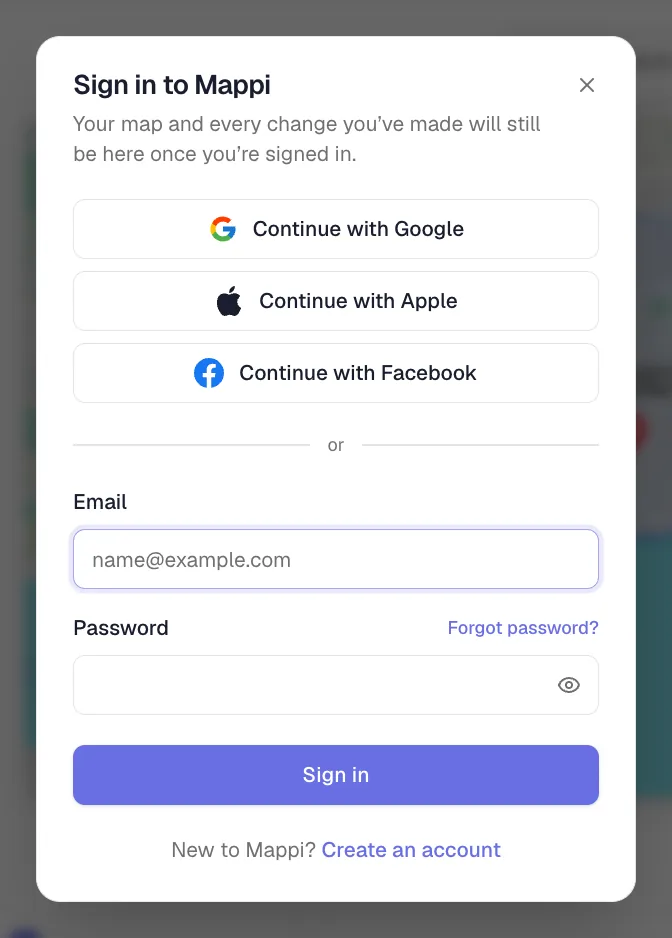
In the editor, click Sign in in the top-right corner. A Sign in to Mappi window opens over your map.
Pick how to sign in
Click Continue with Google, Continue with Apple or Continue with Facebook, or enter your email and password and click Sign in.
Or create an account
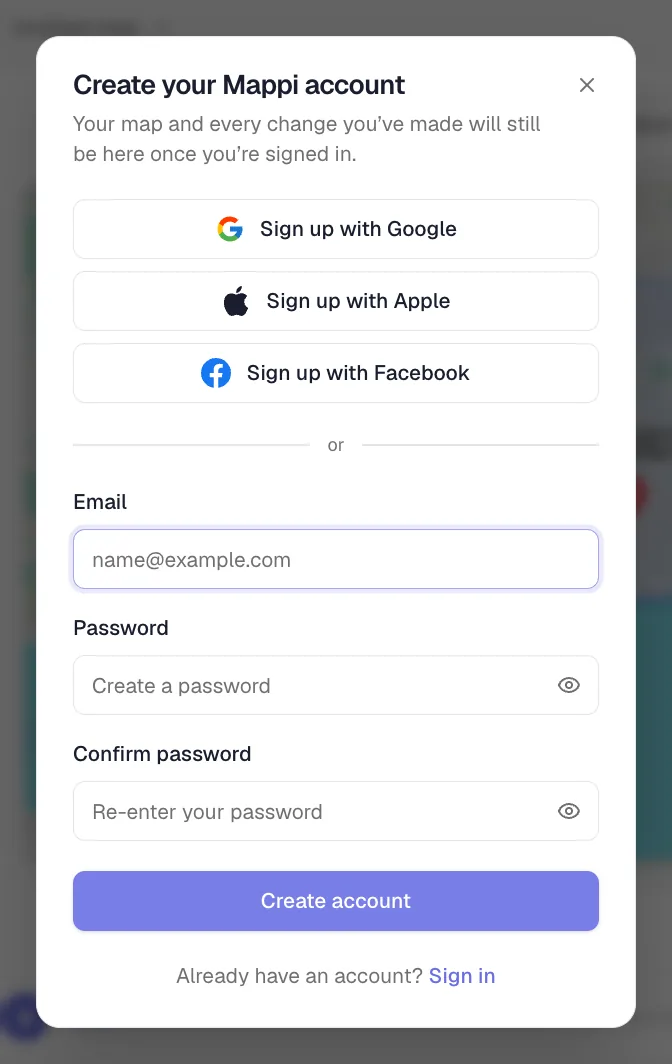
Click Create an account, enter your email and a password twice, and click Create account. Open the confirmation link we email you, then come back to the tab: you’re signed in right there.
Do I need an account?
No. You can make and export map animations without signing in. You need an account to upgrade to Pro and to save Pro items like custom themes and uploaded icons. Saved maps live in your browser either way; see where saved maps are stored.
Forgot your password?
- In the Sign in to Mappi window, click Forgot password?.
- Enter your email and click Send reset link.
- Open the link in the email, choose a new password and save it. Check your spam folder if the email doesn’t arrive within a minute.
Signed up with Google, Apple or Facebook? Sign in with that button instead; there’s no separate Mappi password.
Sign out
Click your avatar and choose Sign out. In the editor, this takes you to the sign-in page and clears the map you’re working on, so save it first. On a phone, where there’s no saved maps menu, sign out only once you’re done with the map. Your saved maps stay in the browser.
Was this guide helpful?
Try it in the editor
Mappi is a map animation maker that runs in your browser. No download, and no account needed to start.
Open MappiRelated guides
How to upgrade to Mappi Pro
Upgrade your Mappi account to Pro: sign in, open the pricing page, choose monthly or yearly billing, click Get Pro and pay securely with Stripe.
Account & billing
Where are my saved maps stored?
Mappi saves maps in your browser, not your account. Learn why a saved map can be missing on another device or after clearing browser data, and how to keep it.
Getting started
Mappi Free vs Pro: what’s included in each plan?
Compare Mappi plans: Free includes unlimited 1080p map video exports with a watermark; Pro adds 4K, no watermark, satellite, custom themes and your own icons.
Account & billing
How to contact Mappi support
Get help from the Mappi team: send feedback with screenshots from the editor, use the share feedback page, or email support. Typical reply in under 24 hours.
Account & billing
