


How to download invoices and receipts
Click your avatar in the editor, choose Settings, then click Manage your payment preferences. Stripe’s billing portal lists your invoices, and each one can be viewed or downloaded as a PDF.
Step by step
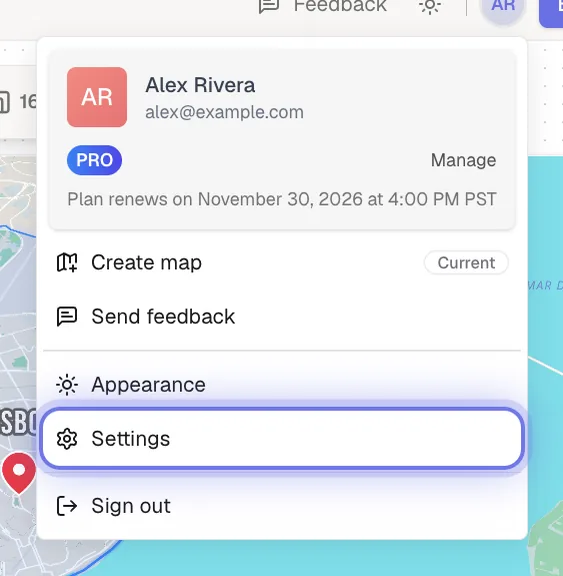
Open Settings from your account menu
In the editor, click your avatar in the top-right corner and choose Settings.
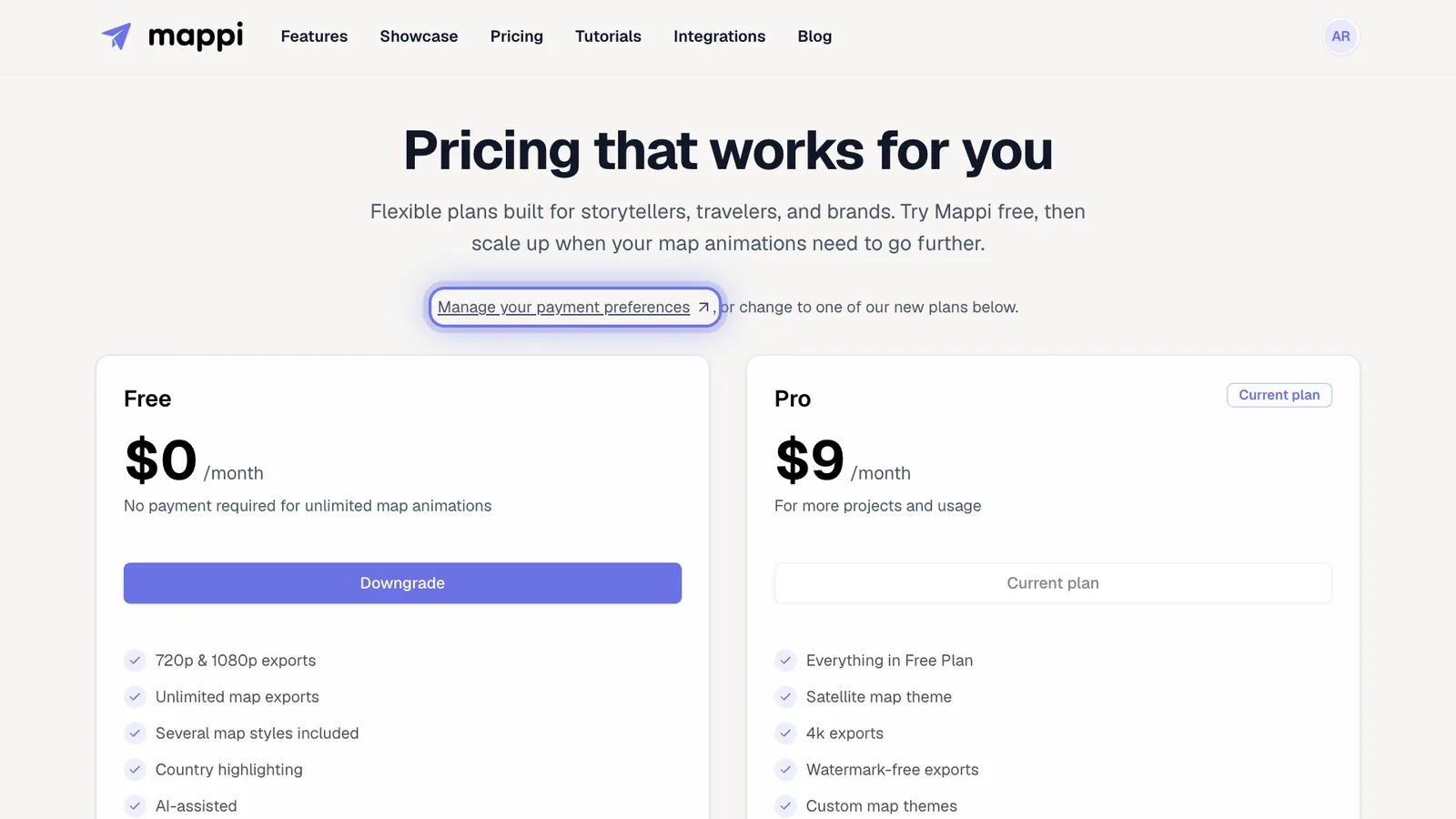
Open the billing portal
Click Manage your payment preferences at the top of the pricing page. Stripe’s billing portal opens.
Find your invoice
Scroll to the invoice history. Open any invoice to view it or download it as a PDF for your records.
Need something else on your invoice?
For a missing invoice, a company name or tax ID, or a receipt for an older charge, email support@mappi.studio with your account email and the charge date.
Was this guide helpful?
Try it in the editor
Mappi is a map animation maker that runs in your browser. No download, and no account needed to start.
Open MappiRelated guides
How to cancel or manage your Mappi Pro subscription
Cancel your Mappi Pro subscription or change billing details: open your account menu, choose Settings, then Manage your payment preferences in Stripe.
Account & billing
How to update your payment method
Change the card or payment method for your Mappi Pro subscription in Stripe’s billing portal: Settings, then Manage your payment preferences.
Account & billing
How to contact Mappi support
Get help from the Mappi team: send feedback with screenshots from the editor, use the share feedback page, or email support. Typical reply in under 24 hours.
Account & billing
