


How to contact Mappi support
Email support@mappi.studio for billing and account help; we usually reply in under 24 hours, Monday to Friday. To report a bug or suggest an idea, click Feedback in the editor header and add up to 3 screenshots.
Step by step
Send feedback from the editor
Click Feedback in the editor header (on phones, Send feedback at the top left). Describe what happened, add up to 3 screenshots, and click Send feedback.
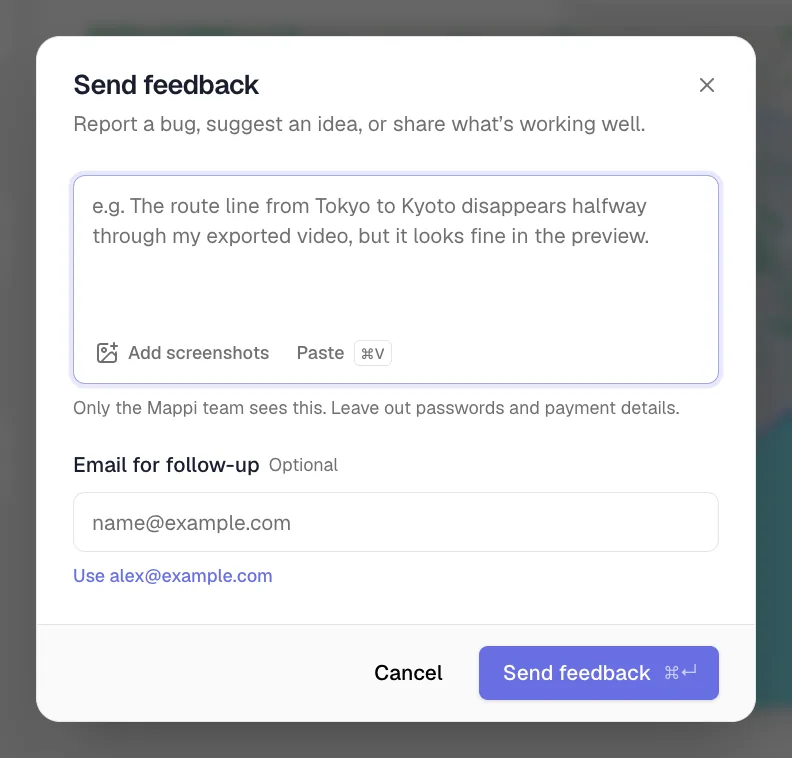
Or use the feedback page
Open Share feedback from any page. Pick Support as the topic for plan or sign-in questions so it reaches us fastest.
Or email us
Write to support@mappi.studio. Include your account email and, for billing questions, the charge date.
Delete your account or change your email
There’s no self-serve option for these yet. Email support@mappi.studio from the address on your account and tell us what you need. Cancel any Pro subscription first: see cancel or manage your subscription.
Tips for a quick fix
- Say what you expected and what happened instead.
- Add a screenshot of the error or the odd frame.
- Mention your browser and device, for example “Chrome on a MacBook” or “Safari on iPhone”.
Was this guide helpful?
Try it in the editor
Mappi is a map animation maker that runs in your browser. No download, and no account needed to start.
Open MappiRelated guides
Can I get a refund for Mappi Pro?
Mappi offers a 3-day money-back guarantee on Pro if you haven’t exported a video yet. Who qualifies, and how to request a refund by email.
Account & billing
Export failed: “Your device couldn’t handle this export”
Fix a failed Mappi export: why you see “Your device couldn’t handle this export”, and how lower quality, Faster export, 30 fps or a desktop browser help.
Rendering & troubleshooting
How to create a Mappi account and sign in
Create a free Mappi account or sign in with Google, Apple, Facebook or email, right from the editor. Your current map stays put while you sign in.
Account & billing
