


How to cancel or manage your Mappi Pro subscription
Click your avatar in the editor and choose Settings (it opens the pricing page), then click Manage your payment preferences. Stripe’s secure billing portal opens, where you can cancel your plan. Pro stays active until the end of the period you’ve paid for.
Step by step
Open your account menu
In the editor, click your avatar in the top-right corner. The card at the top shows your plan and when it renews.
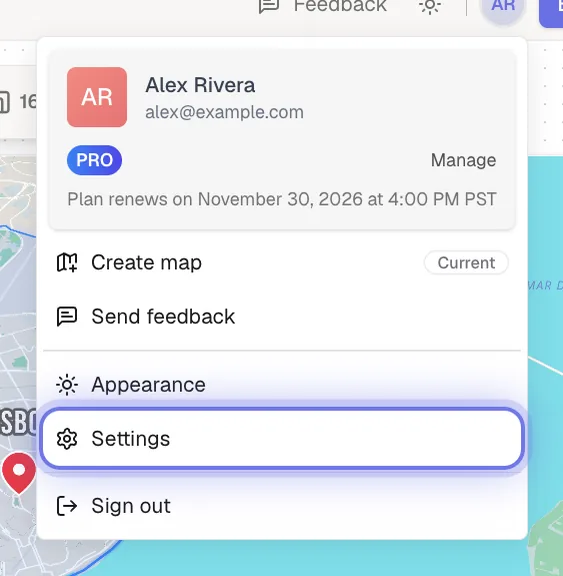
Choose Settings
Click Settings in the menu (or Manage next to your plan). The pricing page opens with your billing options.
Click Manage your payment preferences
At the top of the pricing page, click Manage your payment preferences. Stripe’s billing portal opens in a secure page.
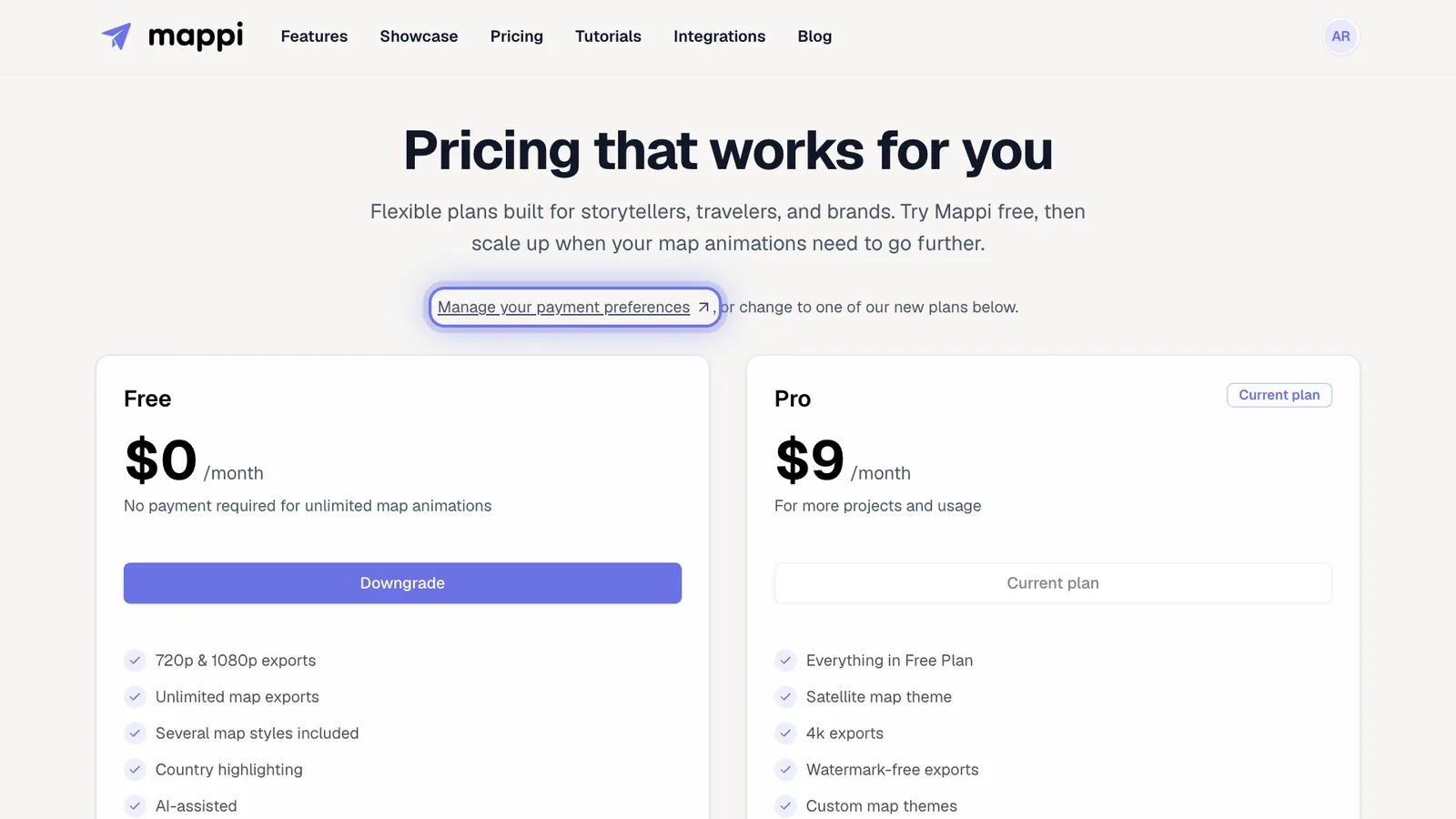
Cancel your plan in the portal
In the billing portal, choose to cancel your plan and confirm. When you’re done, click the portal’s link back to Mappi to return to the pricing page.
What happens after you cancel?
- You keep Pro until the end of your current billing period. After that, your account returns to Free.
- Your account menu says your subscription is set to cancel, and the pricing page shows Scheduled to cancel on the Pro plan.
- Changed your mind? Before the period ends, click Reactivate subscription on the Pro plan, then renew your plan in the billing portal that opens.
- Your saved maps aren’t affected. Uploaded icons and custom themes stay saved but need Pro to use again.
The Downgrade button on the Free plan opens the same billing portal. Need a refund? See refund policy.
Can I switch between monthly and yearly billing?
There’s no self-serve option for this yet. Email support@mappi.studio from the address on your account and tell us which billing you’d like.
Was this guide helpful?
Try it in the editor
Mappi is a map animation maker that runs in your browser. No download, and no account needed to start.
Open MappiRelated guides
How to download invoices and receipts
Find and download your Mappi Pro invoices and receipts: open Settings from your account menu, then Manage your payment preferences to see billing history.
Account & billing
How to update your payment method
Change the card or payment method for your Mappi Pro subscription in Stripe’s billing portal: Settings, then Manage your payment preferences.
Account & billing
Can I get a refund for Mappi Pro?
Mappi offers a 3-day money-back guarantee on Pro if you haven’t exported a video yet. Who qualifies, and how to request a refund by email.
Account & billing
Mappi Free vs Pro: what’s included in each plan?
Compare Mappi plans: Free includes unlimited 1080p map video exports with a watermark; Pro adds 4K, no watermark, satellite, custom themes and your own icons.
Account & billing
